Trip2vip mobile – browser access and what it covers
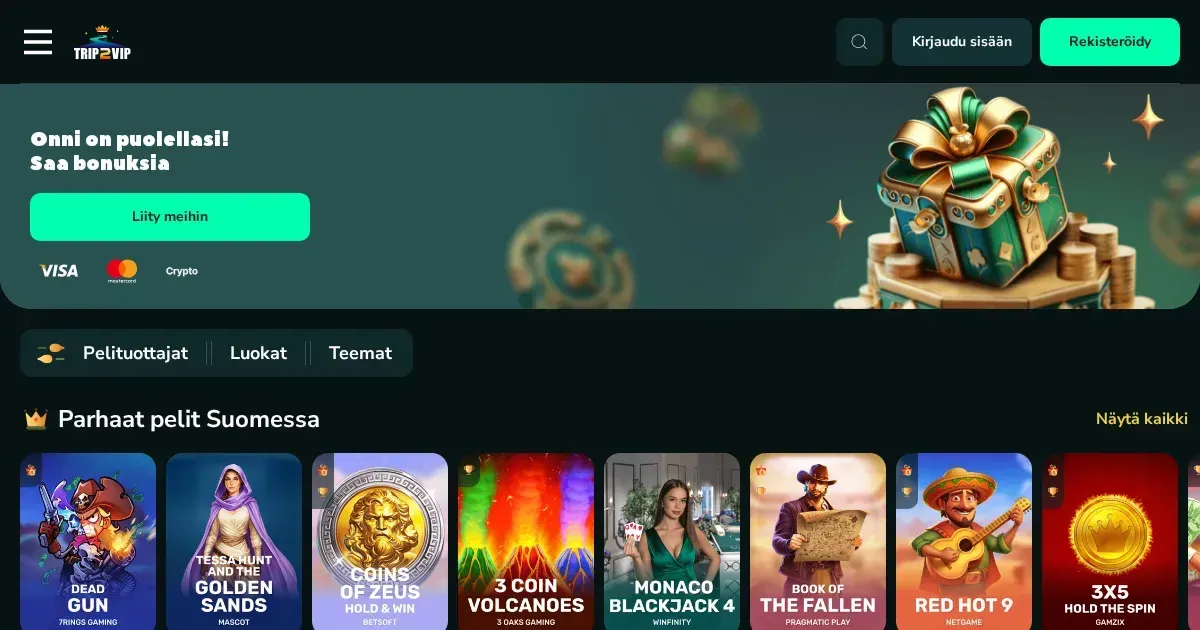
















Trip2vip runs in mobile browsers without requiring a download. Open the site through Chrome, Safari or Firefox on your phone and you reach the same account, the same games and the same cashier you use on a laptop. No separate app is mentioned in the operator's published materials, so the mobile experience here is browser-based.
What to check before you play on mobile
A stable connection matters more on a phone than on a desktop. Live dealer games stream video continuously and a dropped connection can close your seat at the table. Slots buffer better but a weak signal still interrupts a session.
Confirm you are on the operator's own address before signing in. Phishing sites look convincing on a small screen where the address bar is short. Bookmark the legitimate URL after your first visit rather than searching for it each time.
Set deposit and session limits before you start. A phone is always within reach, which makes it easier to play longer than you planned. A time reminder and a deposit ceiling set in your account settings apply across all devices.
Sign out when you finish, particularly on a shared or public device. Staying logged in on a phone someone else picks up leaves your balance and your details exposed.
How mobile access works at Trip2vip
Getting to the casino from a phone takes three steps:
- Open your browser and navigate to the operator's site.
- Sign in with the credentials you created at registration. The same account works on every device.
- The lobby loads in a format adjusted for a smaller screen, with the navigation compressed into a menu icon.
Registration, deposits and withdrawals all run through the mobile browser. You do not need a desktop to complete verification or to request a payout. The cashier presents the same payment methods the desktop version lists, and the limits and processing times remain identical.
What you can do from a phone
The mobile site gives access to the full game library. Slots load in portrait or landscape orientation, and live dealer tables stream at a resolution the connection can sustain. Table games like blackjack and roulette scale to fit the screen, with controls large enough to tap accurately.
Demo play works the same way it does on a desktop where the operator supports it. Open a slot without signing in and the demo balance appears. Live tables require a real-money account because they connect to a physical studio.
The cashier on mobile handles deposits and withdrawal requests. You can upload verification documents through the phone's camera, which is often faster than scanning them on a desktop. Support is reachable through live chat if the operator provides it, or by email through the contact form.
Bonus claims and wagering progress are visible in the account dashboard. The terms apply identically across devices, so a wager placed on your phone counts toward clearing the welcome offer the same way a desktop bet does.
What gets cramped on a small screen
The game lobby shows fewer titles per screen on a phone than on a monitor. Scrolling through several hundred slots takes longer, and the search and filter tools become more necessary. Live dealer tables with detailed betting grids can feel tight in portrait mode; landscape orientation helps but still does not match the space a desktop provides.
Multitasking is harder on mobile. Checking the bonus terms while a game is open means switching between tabs, and iOS does not always hold a game's state when you leave the browser. Responsible gambling tools are in the account settings, which sit behind a menu rather than in a visible sidebar.
Battery drain is a practical limit. An hour of live dealer streaming or high-definition slots depletes a charge faster than browsing or messaging. Carry a power bank if you plan a longer session away from a socket.
Responsible gambling on a mobile device
A phone is easier to pick up impulsively than a laptop, which makes the account limits more important. Set a deposit ceiling and a session reminder in your settings before your first mobile session. These controls apply whether you are at home or on the move.
If gambling is affecting your finances or your time, contact the National Gambling Helpline on 1800 858 858, available 24 hours a day, seven days a week. You can also register with BetStop at betstop.gov.au, the national self-exclusion scheme that blocks access to all licensed Australian wagering providers at once.
Trip2vip-casino.com is an independent information portal. We do not operate a casino, accept bets or process gambling transactions. This site is intended for adults 18+ only. For support, contact the National Gambling Helpline on 1800 858 858.
Frequently asked questions
Can I play Trip2vip games on my phone?
Yes. Open the operator's site in your mobile browser and sign in with your account. The game library, cashier and support all work on a phone without requiring an app.
Does Trip2vip have a mobile app?
The operator's published materials do not mention a native iOS or Android app. Access is through the mobile browser, which covers the full casino, deposits, withdrawals and account settings.
Do deposits and withdrawals work on mobile?
Yes. The cashier on the mobile site handles deposits and withdrawal requests using the same methods, limits and processing times as the desktop version. You can also upload verification documents through your phone's camera.
Game Providers